
Notice of Setting
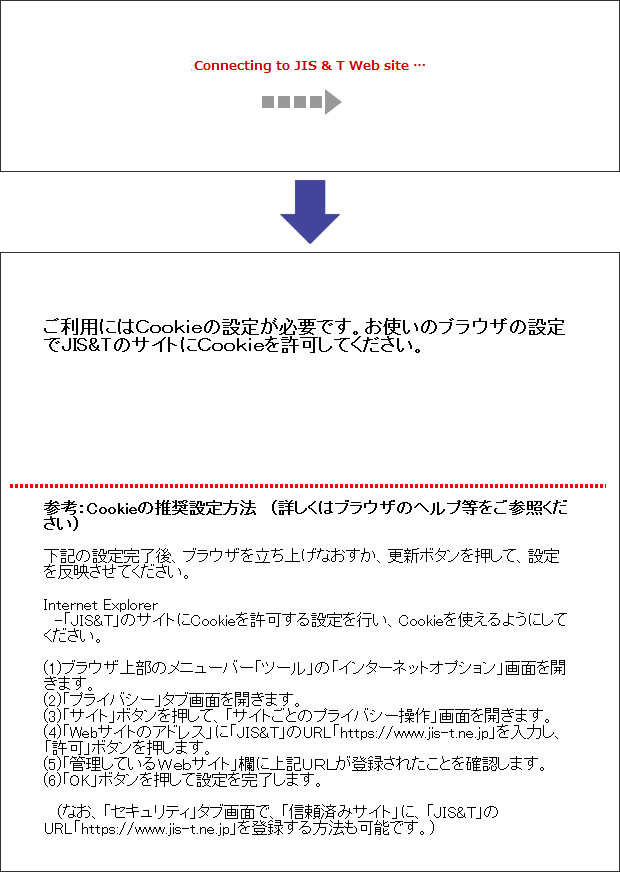
Follow this procedure if after the "Connecting to the JIS & T Web site" message the following message is displayed:
"This service requires cookies. Please configure your browser settings to allow cookies."
Operating Environment
Recommended Browser
Problem
When you click "Change Product Allocation," "Switching," or any other options on the menu, the "Connecting to the JIS & T Web site" message is displayed the JIS & T site is not connected and the following message is displayed: "When using this Internet site, please select an option from the menu on the screen."
Solution
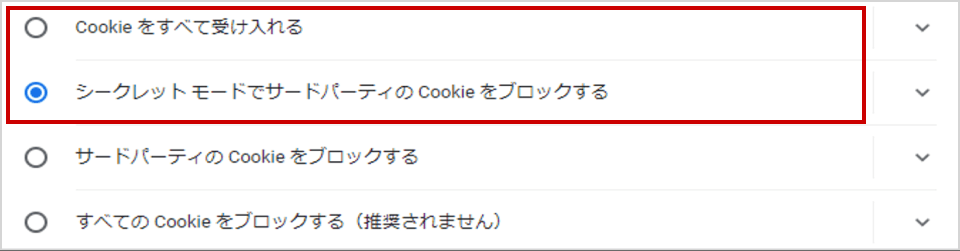
Besides First-party Cookies ,Third-party Cookies are required to connect JIS&T website, Check your Cookie settings.
Microsoft Edge
Settings > Privacy & security

Google Chrome
Settings > Advanced settings > privacy & security
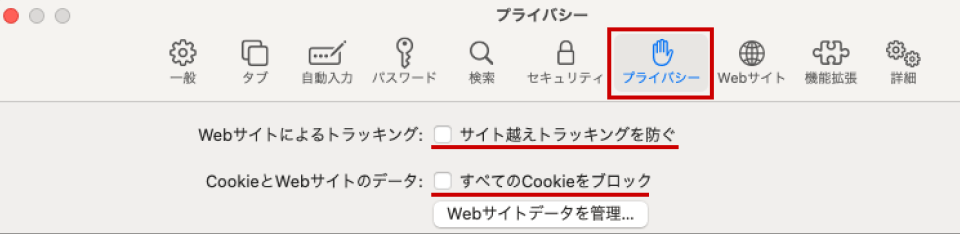
Safari
Settings > Privacy
The setting method may change, see Help function of your browser for more dedails .